

102·
4 months agoPartial upgrades are unsupported on Arch Linux.
Partial upgrades are unsupported on Arch Linux.

I do buy games from time to time, but 2 of my most played games on Steam are just free games. OpenTTD and vivid/stasis.
Is sshd really not part of systemd?
Yes, it’s not a part of systemd. By running systemctl restart sshd you are just restarting the sshd systemd service. Systemd service files for things like ssh and transmission come with their respective packages.
You can see what I mean here. The openssh-server package for Ubuntu comes with the sshd.service file.
It has a dedicated eclipse drawing tool.
The PCs at my college has only 4GB of RAM with Windows 10. I hate having to use them cause they are so slow.
AA? If you mean your friend then I’m not them.
What I’ve learned playing rhythm games is that taking breaks is important. When I hit a wall, I just take a break from that game and come back to it later.
What have you been playing?!
I’m playing through Celeste again. I only finished the main story when I played it before. I intend to finish chapter 8 and go through as much of the B/C sides as I can this time.
I’ve also been playing Stardew Valley and another game called vivid/stasis. I really like the story in vivid/stasis so far because it’s Sci-Fi, one of my favorite genres. There are some things that I don’t enjoy about the game, like the puzzles and the boss songs having health bars (the songs are just too difficult for the current me to beat with a health bar). Thankfully I can just skip the puzzles with a guide and the boss songs using the autoplay accessibility option.
A lot of banking apps do work on grapheneos.
https://privsec.dev/posts/android/banking-applications-compatibility-with-grapheneos/
My bash prompt is just me copying the prompt I have set on fish.
# Prompt
green=$'\e[38;5;2m'
bright_red=$'\e[38;5;9m'
bright_green=$'\e[38;5;10m'
reset=$'\e[0m'

prompt_command()
{
    local exit_status=$?

    if [[ $exit_status != 0 ]]; then
        exit_color=$bright_red
        exit_prompt=" [$exit_status]"
    else
        exit_color=$bright_green
        exit_prompt=""
    fi
}

PROMPT_COMMAND=prompt_command
PS1='\[$green\]\w\[$exit_color\]$exit_prompt\n❯ \[$reset\]'
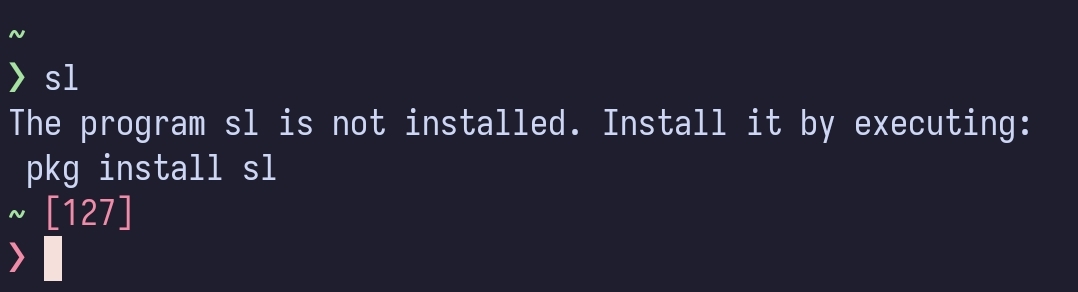
I have a small issue with this prompt though. Sometimes the ❯ ends up turning white for some reason.

I haven’t had any issues with the kernel yet. The worst thing that I can remember doing is messing up the systemd boot entry on my Arch Linux install.
Yeah. I just found out about it by accident when I ran it with the --help flag.
I’d like to add that you can setup desktop shortcuts pretty easily for Mullvad and TOR browser manual installs. For TOR browser simply run this after opening a terminal in the folder it was extracted to:
./start-tor-browser.desktop --register-app
Same thing should work for mullvad.

Containers within a pod can use localhost to access each other. Containers outside of the pod needs to use the pod name to access the containers in the pod.
I looked up when pasta became the default networking backend for rootless and it seems to have been with podman 5.0. I do remember using podman 5.x versions, so I was most likely using pasta.
The reason why I seperated each app into their own network was indeed for security. The only container with access to all the networks is the reverse proxy.
I made a comment on another post a while ago, talking a bit about inter-container/pod networking.
It is the default atime option used when mounting if I’m correct. If it’s an ubuntu specific mount option it will be specified in /etc/fstab file.
You can run this to check
findmnt --real
There’s also a new activation method in MAS (Microsoft Activation Scripts) that enables the commercial ESU with 3 more years of updates. The regular consumer ESU just gets you 1 more year of security updates.