
- 4 Posts
- 8 Comments

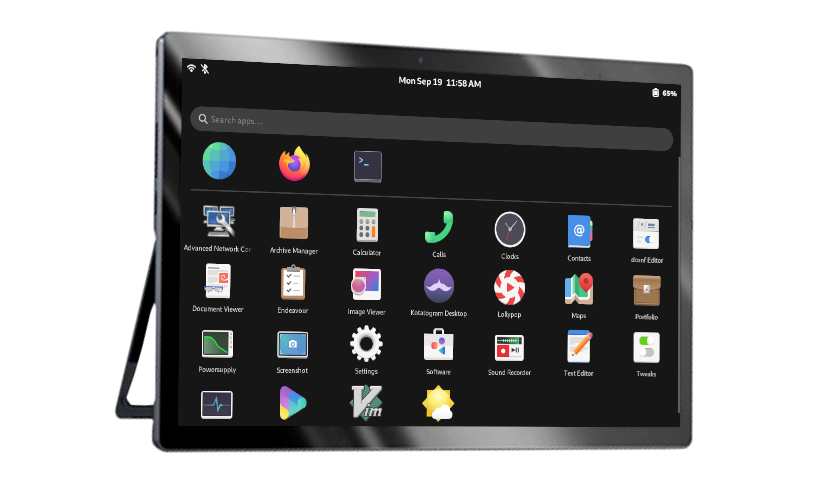
Sure thanks, I will check the KDE documentation as well. :)
Thanks for the feedback. I am using Gnome a lot, therefore I would start over with GTK in the first run. Then PyGObject (https://www.gtk.org/docs/language-bindings/python/) is the reference for Python based applications, isn’t it?
My home server is managed with Cockpit since years and I am really happy with it.
DahliaOS is not a Google product/project right?
Fedora 😍 it is really stable and everything is working out of the box. No need to start hacking in terminal after installation.
It is working again after uninstalling and reinstalling docker again. Don’t know what the problem is, but luckily it works again…
sudo dnf remove docker \
                  docker-client \
                  docker-client-latest \
                  docker-common \
                  docker-latest \
                  docker-latest-logrotate \
                  docker-logrotate \
                  docker-selinux \
                  docker-engine-selinux \
                  docker-engine
sudo dnf -y install dnf-plugins-core sudo dnf config-manager \ --add-repo \ https://download.docker.com/linux/fedora/docker-ce.repo sudo dnf install docker-ce docker-ce-cli containerd.io
I tried to reinstall or downgrade the Docker packages, but it is failing as well. Never had something like this before:
sudo dnf reinstall docker-ce docker-ce-cli containerd.io
Letzte Prüfung auf abgelaufene Metadaten: vor 0:04:34 am Mi 19 Jan 2022 08:28:22 CET.
Abhängigkeiten sind aufgelöst.
=============================================================================================================================================================================================================================================================================================================================
 Package                                                                      Architecture                                                          Version                                                                            Repository                                                                       Size
=============================================================================================================================================================================================================================================================================================================================
Neuinstallieren:
 containerd.io                                                                x86_64                                                                1.4.3-3.1.fc31                                                                     docker-ce-stable                                                                 32 M
 docker-ce                                                                    x86_64                                                                3:20.10.3-3.fc31                                                                   docker-ce-stable                                                                 25 M
 docker-ce-cli                                                                x86_64                                                                1:20.10.3-3.fc31                                                                   docker-ce-stable                                                                 33 M

Transaktionsübersicht
=============================================================================================================================================================================================================================================================================================================================

Gesamte Downloadgröße: 90 M
Installationsgröße: 398 M
Ist dies in Ordnung? [j/N]: j
Pakete werden heruntergeladen:
(1/3): docker-ce-20.10.3-3.fc31.x86_64.rpm                                                                                                                                                                                                                                                   1.2 MB/s |  25 MB     00:21
(2/3): containerd.io-1.4.3-3.1.fc31.x86_64.rpm                                                                                                                                                                                                                                               1.5 MB/s |  32 MB     00:21
(3/3): docker-ce-cli-20.10.3-3.fc31.x86_64.rpm                                                                                                                                                                                                                                               1.3 MB/s |  33 MB     00:25
-----------------------------------------------------------------------------------------------------------------------------------------------------------------------------------------------------------------------------------------------------------------------------------------------------------------------------
Gesamt                                                                                                                                                                                                                                                                                       3.6 MB/s |  90 MB     00:25
Transaktionsüberprüfung wird ausgeführt
Transaktionsprüfung war erfolgreich.
Transaktion wird getestet
Transaktionstest war erfolgreich.
Transaktion wird ausgeführt
  Vorbereitung läuft    :                                                                                                                                                                                                                                                                                                1/1
  Neuinstallieren       : docker-ce-cli-1:20.10.3-3.fc31.x86_64                                                                                                                                                                                                                                                          1/6
Fehler: lsetfilecon: (/usr/bin/docker;61e7bec5, system_u:object_r:container_runtime_exec_t:s0) Das Argument ist ungültig
Fehler: Plugin selinux: hook fsm_file_prepare failed

Error unpacking rpm package docker-ce-cli-1:20.10.3-3.fc31.x86_64
  Neuinstallieren       : containerd.io-1.4.3-3.1.fc31.x86_64                                                                                                                                                                                                                                                            2/6
Fehler: Entpacken des Archivs fehlgeschlagen bei Datei /usr/bin/docker;61e7bec5: cpio: (Fehler 0x2)
Fehler: docker-ce-cli-1:20.10.3-3.fc31.x86_64: installieren fehlgeschlagen
Fehler: lsetfilecon: (/etc/containerd, system_u:object_r:container_config_t:s0) Das Argument ist ungültig
Fehler: Plugin selinux: hook fsm_file_prepare failed

Error unpacking rpm package containerd.io-1.4.3-3.1.fc31.x86_64
  Neuinstallieren       : docker-ce-3:20.10.3-3.fc31.x86_64                                                                                                                                                                                                                                                              3/6
Fehler: Entpacken des Archivs fehlgeschlagen bei Datei /etc/containerd: cpio: (Fehler 0x2)
Fehler: containerd.io-1.4.3-3.1.fc31.x86_64: installieren fehlgeschlagen
Fehler: lsetfilecon: (/usr/bin/docker-init;61e7bec5, system_u:object_r:container_runtime_exec_t:s0) Das Argument ist ungültig
Fehler: Plugin selinux: hook fsm_file_prepare failed

Error unpacking rpm package docker-ce-3:20.10.3-3.fc31.x86_64
  Überprüfung läuft     : containerd.io-1.4.3-3.1.fc31.x86_64                                                                                                                                                                                                                                                            1/6
  Überprüfung läuft     : containerd.io-1.4.3-3.1.fc31.x86_64                                                                                                                                                                                                                                                            2/6
  Überprüfung läuft     : docker-ce-3:20.10.3-3.fc31.x86_64                                                                                                                                                                                                                                                              3/6
  Überprüfung läuft     : docker-ce-3:20.10.3-3.fc31.x86_64                                                                                                                                                                                                                                                              4/6
  Überprüfung läuft     : docker-ce-cli-1:20.10.3-3.fc31.x86_64                                                                                                                                                                                                                                                          5/6
  Überprüfung läuft     : docker-ce-cli-1:20.10.3-3.fc31.x86_64                                                                                                                                                                                                                                                          6/6

Fehlgeschlagen:
  containerd.io-1.4.3-3.1.fc31.x86_64                 containerd.io-1.4.3-3.1.fc31.x86_64                 docker-ce-3:20.10.3-3.fc31.x86_64                 docker-ce-3:20.10.3-3.fc31.x86_64                 docker-ce-cli-1:20.10.3-3.fc31.x86_64                 docker-ce-cli-1:20.10.3-3.fc31.x86_64

Fehler: Transaktion fehlgeschlagen
Fedora Workstation ❤